
Your child's attendance
See how often your child was present, absent, late or excused this year, day by day on a calendar.
Checked on the ShuleOS demo school
Who: Parents and guardians 3 min read
Attendance shows your child's register, filled in each day by the class teacher.
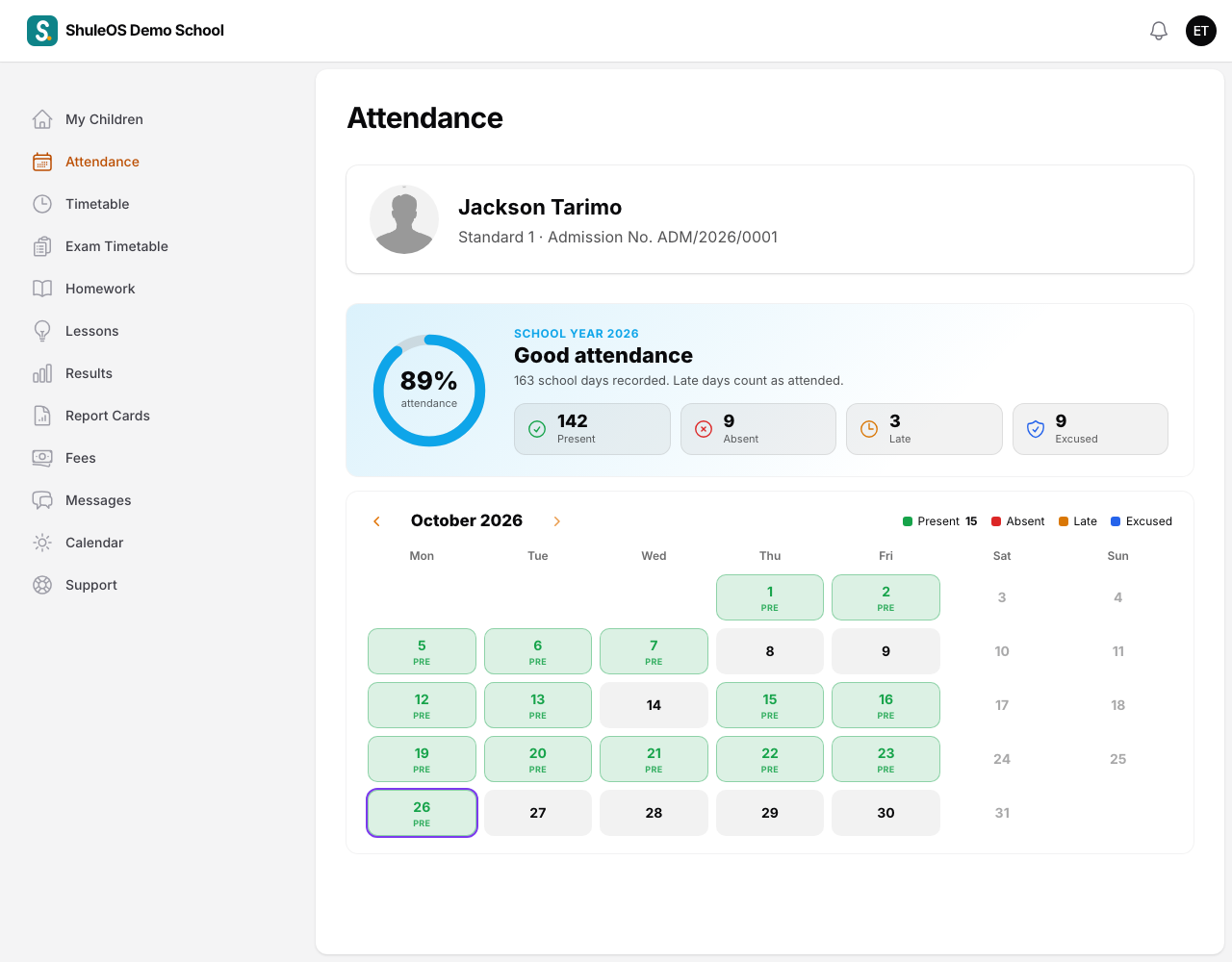
At the top, five figures for the year: the Attendance rate, and the number of days Present, Absent, Late and Excused. The rate counts present and late days out of all the days the register was taken, including excused days.
Under them is a calendar of the month. Each school day has a colour:
| Colour | Meaning |
|---|---|
| Green | Present. |
| Amber | Late. |
| Red | Absent. |
| Blue | Excused (away with a reason the school accepts). |
| Grey | The register was not taken yet, or the school was closed. Weekends are faint. |
Use the arrows at the top of the calendar to look at other months.
What you can do
- If your child was marked absent when they were at school, or absent with a good reason, tell the class teacher or the school office. The office can correct the register or change it to excused.
- The school may send you a message the same day when your child is marked absent, if it has switched that on. Make sure the school has your correct phone number.
Regular attendance matters: children who attend well usually do better. If you see many red days, talk to the class teacher.