
Attendance records and reports
Look up, correct and import individual attendance records, and read the attendance report by day, by student, as a class register, and by weekday.
Student attendance records
Attendance → Student Attendances is the list of every attendance record ever saved: one row per student per day.
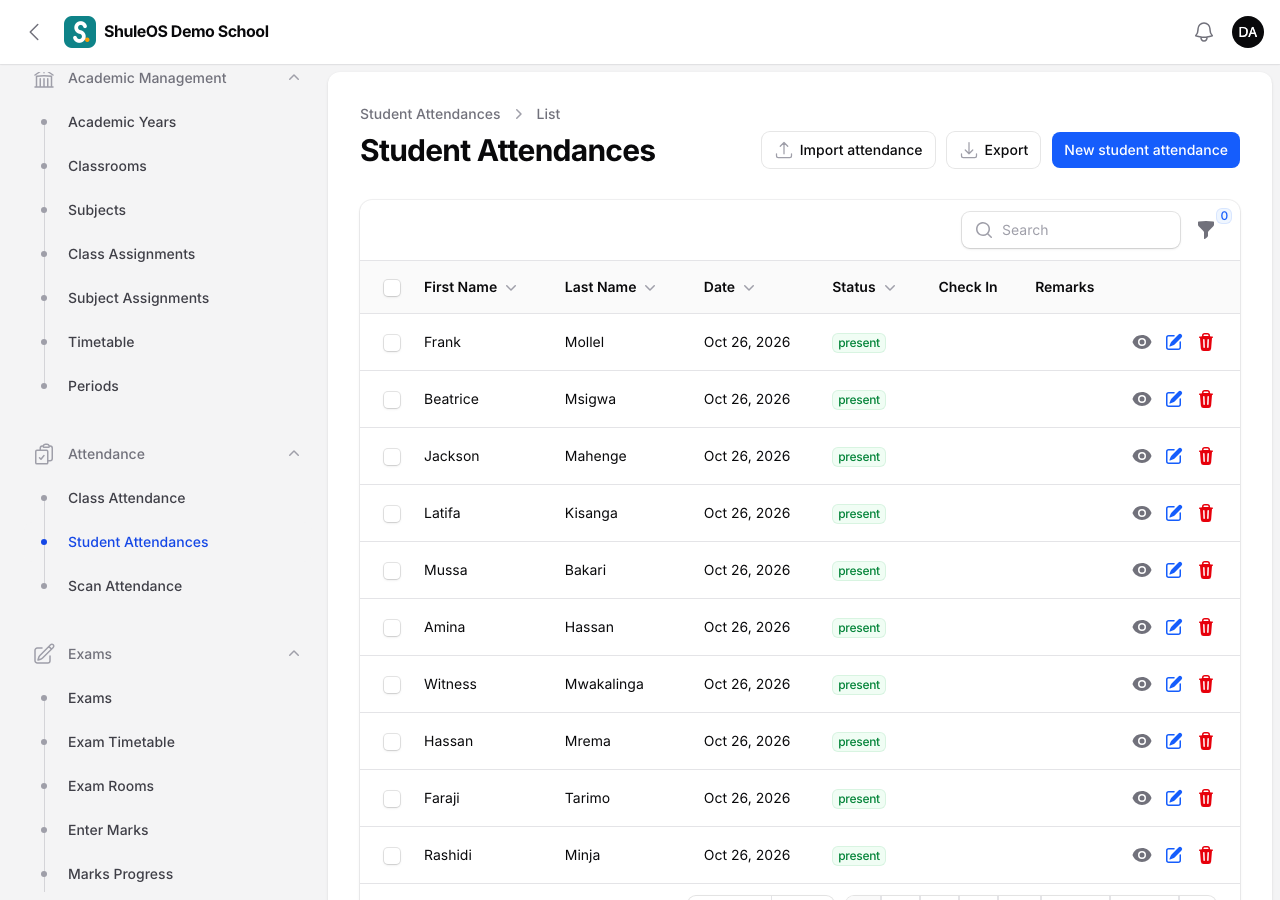
Each row shows the student's First Name and Last Name, the Date, the Status, the Check In time and any Remarks. Use the search box, and the Status filter (funnel icon), to narrow it down.
Add or correct one record
-
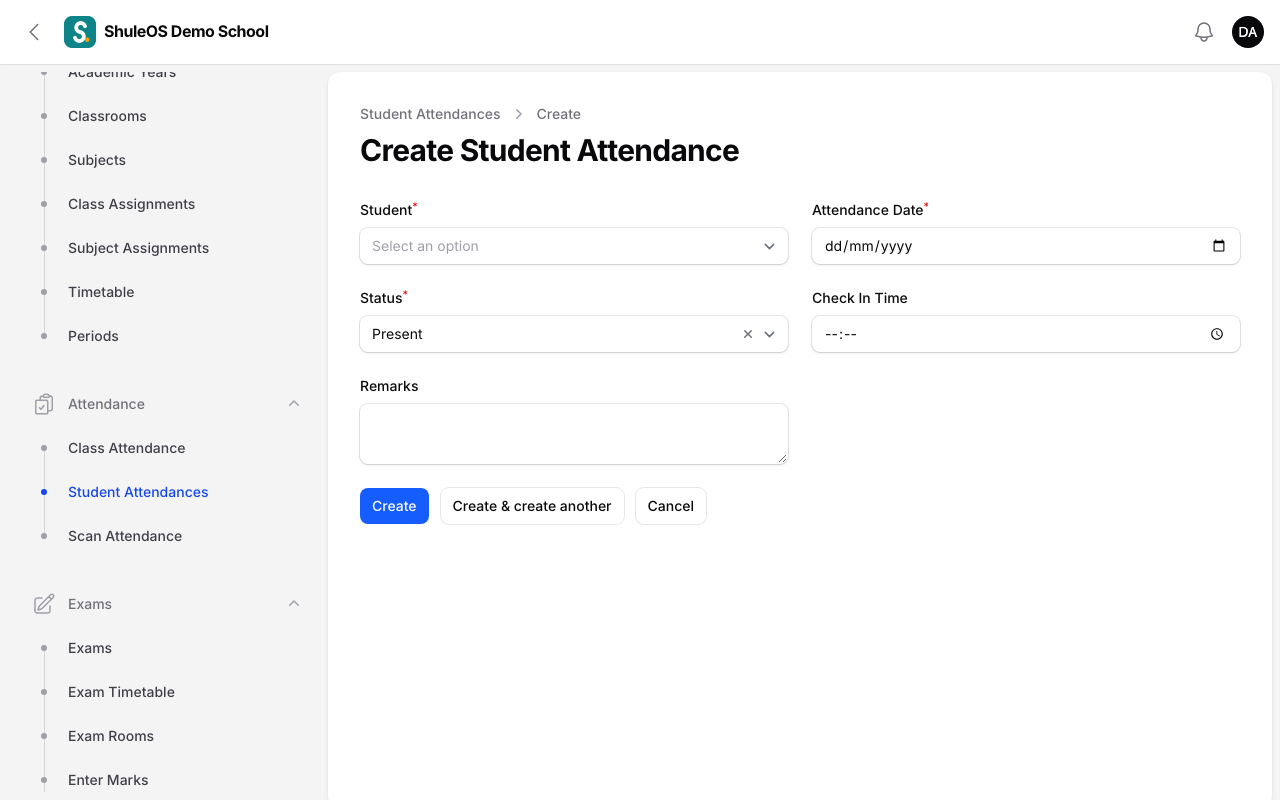
Click New student attendance.
-
Choose the Student, the Attendance Date, the Status (Present, Absent, Late or Excused), an optional Check In Time and Remarks, and click Create.
-
To correct an existing record, open the row's Edit action, change it and Save changes.
For a whole class, use Take class attendance instead.
Import attendance
Click Import attendance to load records from a file, for example when a school kept paper registers for the first weeks. Download the template, fill it in, upload it and read the preview before saving. Export gives you the records as Excel-friendly CSV or Excel (.xlsx).

The attendance report
Reports → Attendance shows how the school is doing. It has four tabs. Export CSV downloads what you are looking at.

| Tab | What it shows |
|---|---|
| By day | For one day (choose it in the Day filter), each class with its students, present, late, absent, excused, the attendance rate, and whether the register was taken. A Register link opens that class's register. |
| By student | Each student's attendance for the period, so you can find students who miss a lot. |
| Class register | A grid for one class: the students down the side, each school day across, with P, A, L and E for present, absent, late and excused, and each student's attendance %. Download register (PDF) prints it. |
| Weekday pattern | Which days of the week attendance is worst, so you can see, for example, that Mondays and Fridays are weak. |
How the rate is worked out
A student's attendance rate is the days they were present or late, out of the days that were recorded. Absent and excused days count against the rate. The rate is coloured:
| Rate | Meaning |
|---|---|
| 90% and above | Good |
| 75% to under 90% | Watch |
| Under 75% | Concern |
If something goes wrong
| What you see | What it means |
|---|---|
| A class shows "not taken" on a school day | Nobody saved its register. Take it from Class Attendance. |
| The report is empty | There are no records for the day or period you chose. |
| A student's rate looks low | Check their records for the period: excused days lower the rate. |