
Your plan and the audit log
See what your package includes and how much of it you have used, ask for an upgrade, and look back at who did what and when.
Your plan
Account → Plan shows the package your school has.
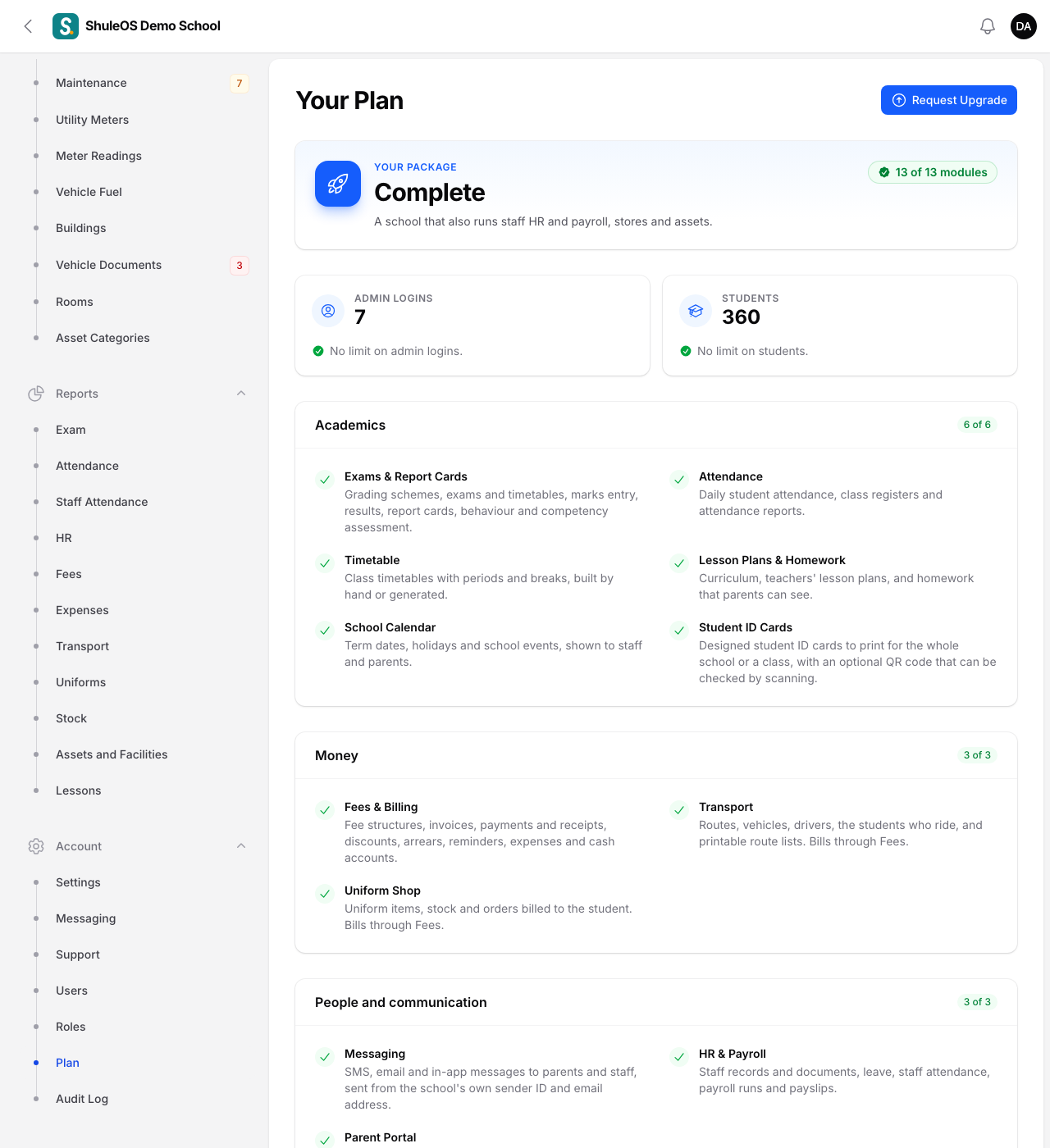
At the top are two meters:
- Admin logins: how many are in use out of how many the package allows.
- Students: how many active students are enrolled, out of the limit.
The bars turn amber at 75% and red at 90%, so you can ask for more before you run out. Below them, every part of ShuleOS is listed under its heading (Academics, Money, People and communication, Operations), with what it does and whether your package includes it. Parts your package does not include are missing from your menu.
Need more logins, students or another module? Click Request Upgrade. You see "Request sent", and the ShuleOS team will get in touch. The page shows the date you asked, and you can click again to remind them.
When you reach a limit, the school is not locked out. You simply cannot add another login or student until you free a place (switch off a login, mark a student who left as inactive) or upgrade.
The audit log
Account → Audit Log is the school's memory. Every important action is recorded with When, By (the person, or System for automatic actions), Action and a Description: students and parents added or changed, marks entered, invoices voided, payments taken, roles changed, logins created and more.
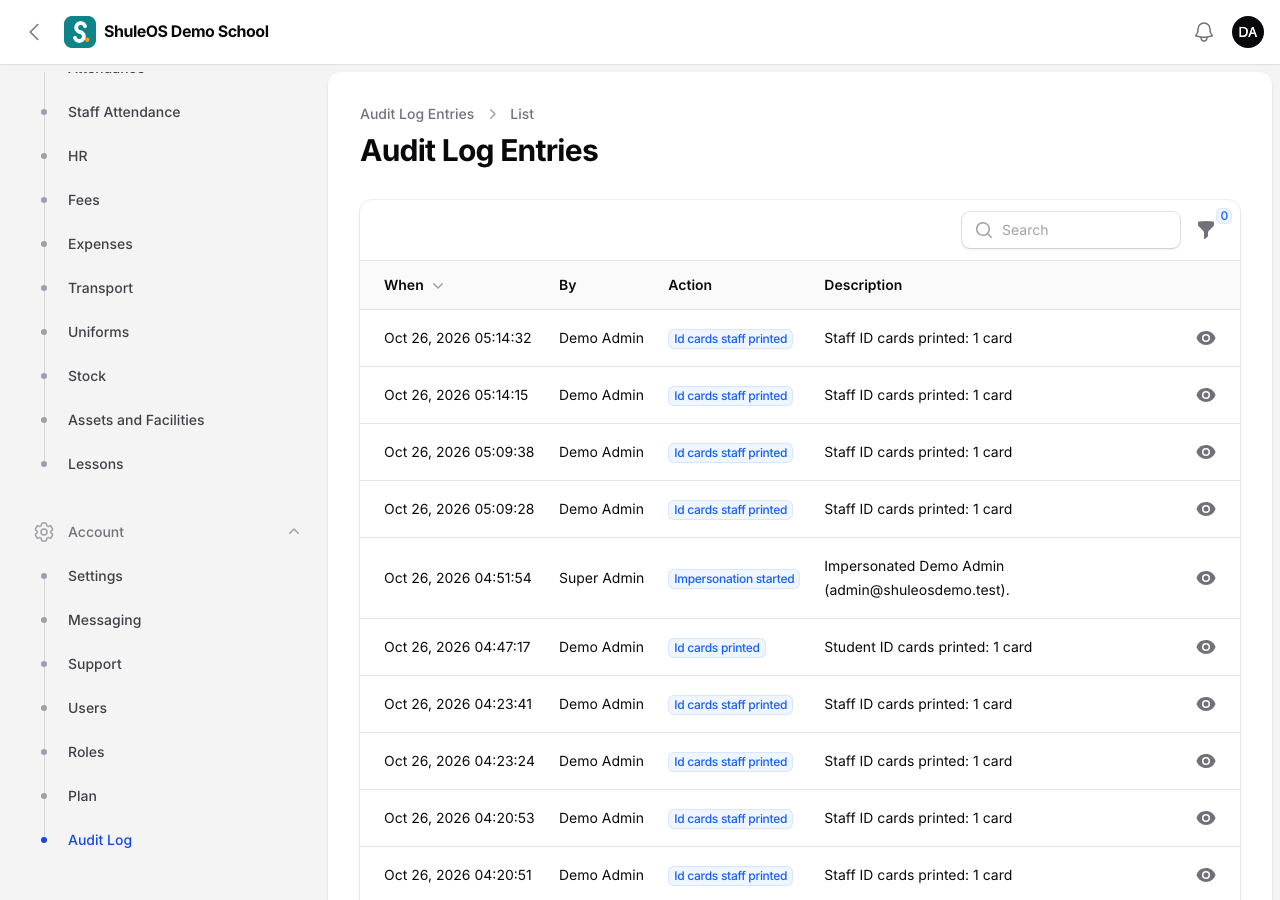
Click View on a row to open the entry. When something was changed, a Details section shows what it was before and what it is now.
Find an entry with the filters:
- Person: who did it.
- Action: the kind of action, such as Guardian updated or Timetable generated.
- From and Until: a range of dates.
The log can only be read. Nobody, not even an administrator, can edit or delete an entry, which is what makes it trustworthy. Use it to answer "who changed this?" and "when was this voided?", and to check that people only do what their role allows.
When the ShuleOS support team helps you. If a member of the ShuleOS team signs in to your school to help, that is recorded here too ("Impersonation started"), with who and when.
If something goes wrong
| What you see | What it means and what to do |
|---|---|
| A part of ShuleOS is not in your menu | Your package does not include it. See the list on the Plan page and use Request Upgrade. |
| You cannot find an entry | Widen the date range, or clear the Person and Action filters. |
| The Audit Log is missing | Your role does not include viewing it. The Auditor role does. |
Related guides
- Users: logins for the school officeGive each person in the office their own login and role, reset a forgotten password, and switch a login off when someone leaves.
- Roles and permissionsDecide exactly what each kind of user can see, add, change, delete and import, screen by screen, using ready-made roles or your own.