
Utility meters, vehicle papers and fuel
Record electricity and water meter readings and bills, keep track of when vehicle insurance and licences run out, and log fuel to see how each bus performs.
Four screens keep the running costs of the school in order: meters and their readings, vehicle papers, and fuel.
Meters
Assets and Facilities → Utility Meters lists what the school pays for by the meter: electricity (LUKU), water (DAWASA), gas, internet.

Each row shows the Name, Type, Building, the Unit and the Latest reading with its date. Click New meter.

| Field | What to enter |
|---|---|
| Name | For example Main block electricity. Must be different from other meters. |
| Type | Electricity, Water, Gas, Internet or Other. The unit follows it (kWh, m³, kg, GB or units). |
| Meter number | From the meter or the bill. |
| Read in | The unit. Change it if needed. |
| Building | Where the meter is. |
| Is active | Off if the meter is closed. |
Readings
Assets and Facilities → Meter Readings is the record of every reading.
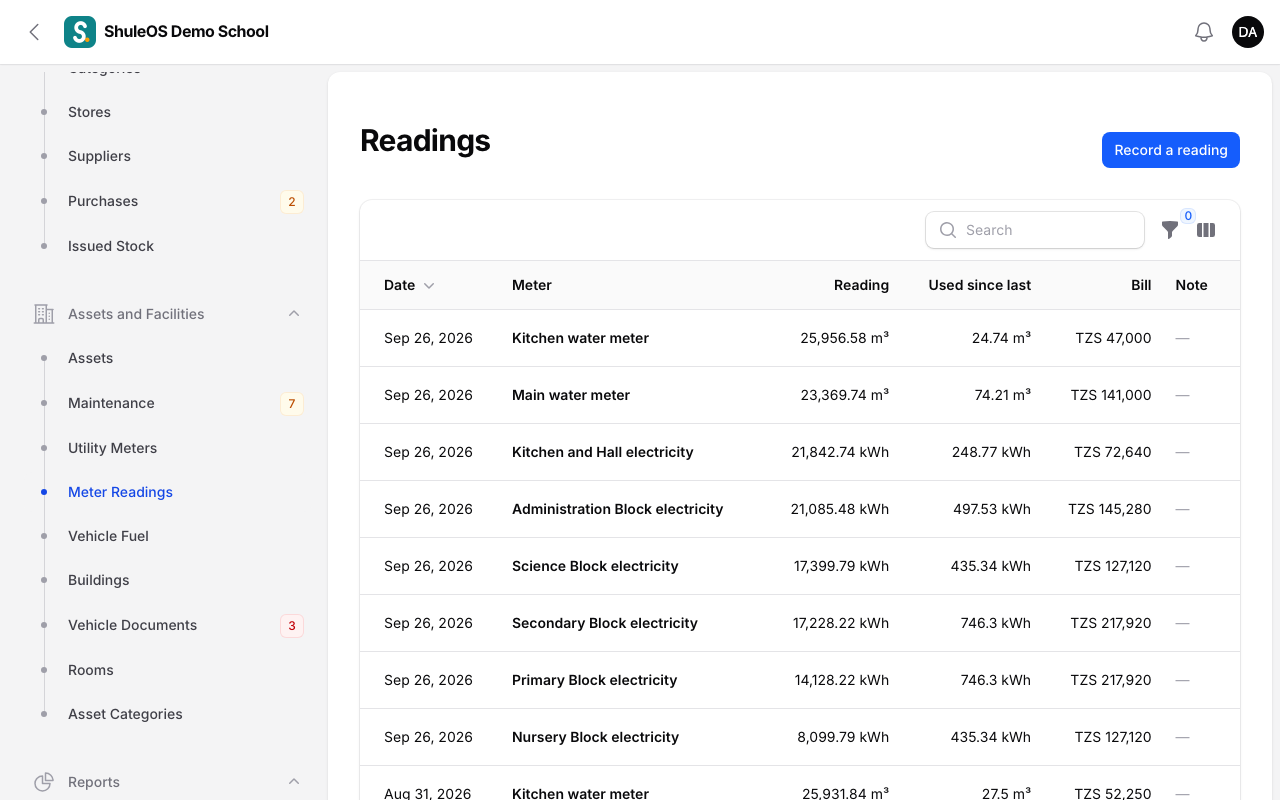
The list shows the Date, Meter, Reading, how much was Used since last, the Bill and a note. Filter by Meter. Click Record a reading.
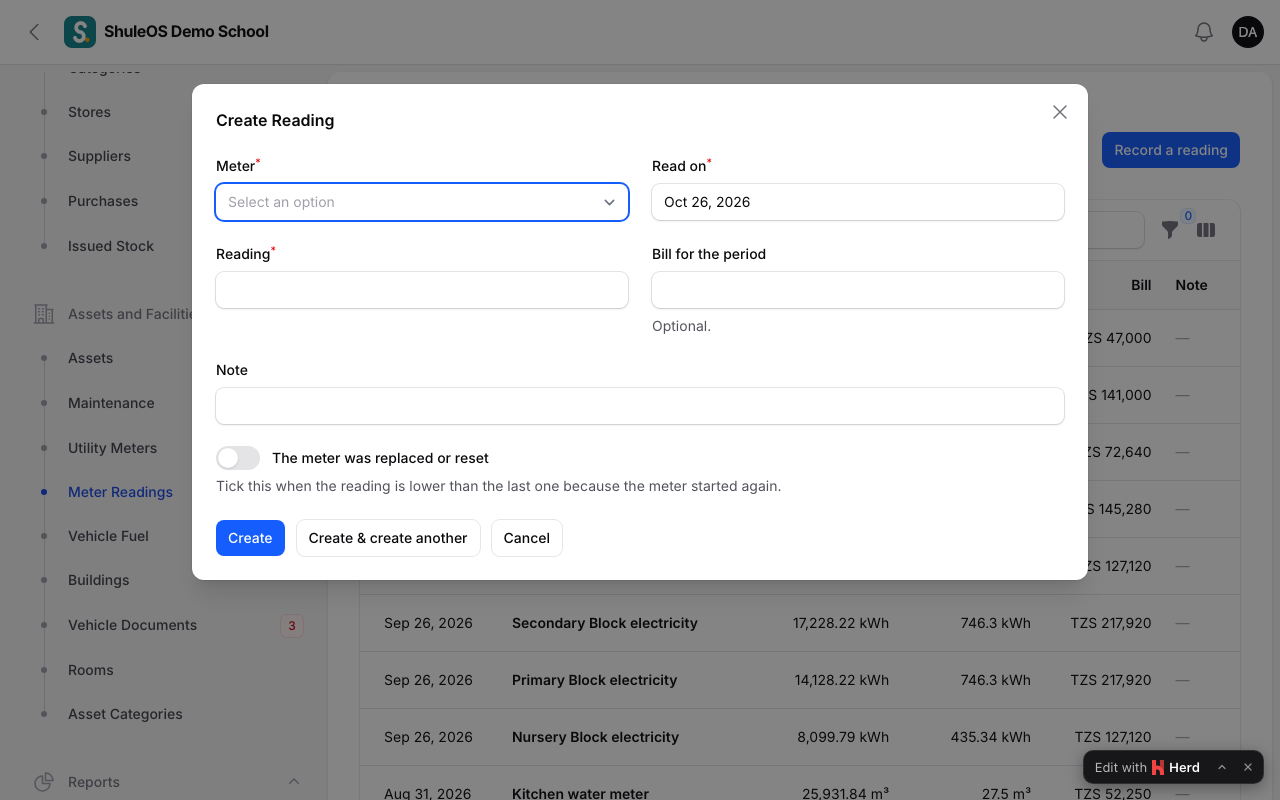
Choose the Meter, the date Read on, the Reading, and the Bill for the period if you have it (optional). Add a note if you like.
A reading must not be lower than the one before it: "That is lower than the reading before it. If the meter was replaced or reset, tick that box." When a meter has been replaced or reset, switch on The meter was replaced or reset and that reading is counted as the whole use since the meter started again.
Read each meter on the same day every month, so the "Used since last" figure is comparable from month to month.
Vehicle documents
Assets and Facilities → Vehicle Documents tracks the papers each school vehicle needs.

Each row shows the Vehicle, the Type (Insurance, Road licence, Inspection, Registration, Driver permit or Other), the Number and when it Runs out, in words ("Runs out in 24 days", "Expired 27 days ago"). Switch on Expired or running out soon to see what needs renewing.
Click New vehicle document.
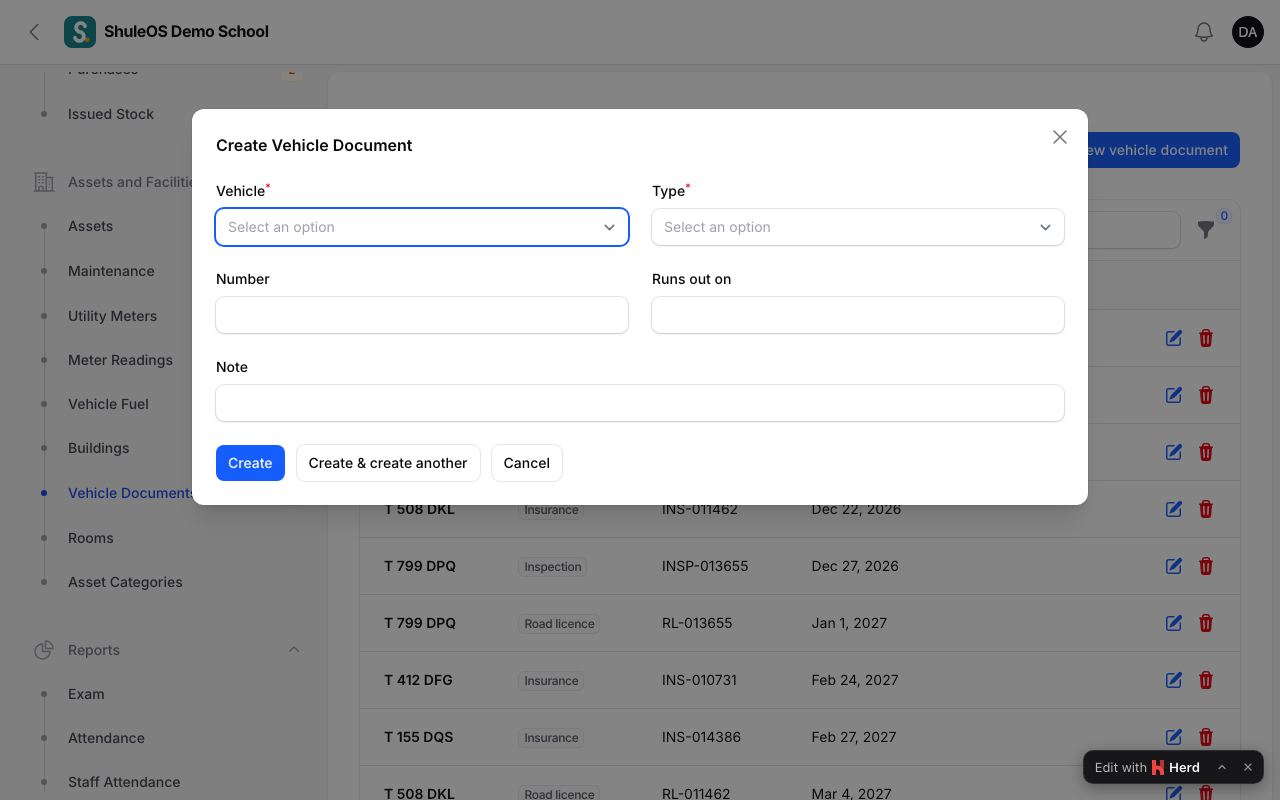
Choose the Vehicle, the Type, enter the Number and Runs out on, and a note. Vehicles themselves are added under Transport (see Transport routes, vehicles and drivers).
Papers that have expired, or expire within 30 days, appear on the dashboard's Needs your attention list and in the Running out report.
Fuel entries
Assets and Facilities → Vehicle Fuel logs every fill-up.

The list shows the Date, Vehicle, Litres, Cost, Odometer and km per litre. Filter by Vehicle. Click New fuel entry.
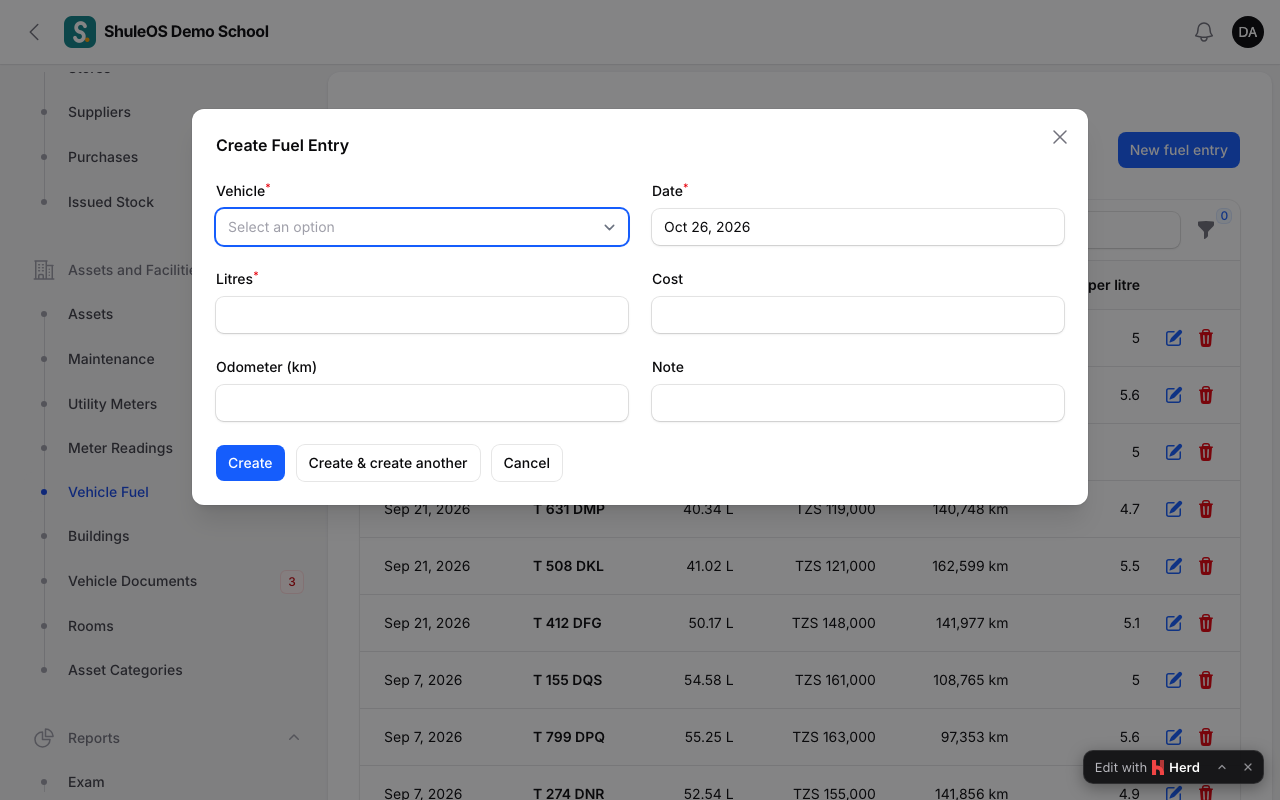
Choose the Vehicle, the Date, the Litres, the Cost and the Odometer (km). Enter the odometer every time: ShuleOS works out km per litre from the distance between two fill-ups, so you can spot a vehicle that starts using too much fuel.
If something goes wrong
| What you see | What it means and what to do |
|---|---|
| "That is lower than the reading before it." | You mistyped, or the meter was replaced. Tick The meter was replaced or reset if it was. |
| A meter or vehicle is missing from the form | The meter is inactive, or the vehicle is not added under Transport yet. |
| km per litre is empty | It needs the odometer on this and the earlier entry. |
Related guides
- Assets and facilities reportsWhat the school owns and its condition, what repairs cost each month, how much each meter used, and what is about to run out.
- Transport routes, vehicles and driversSet up the school bus service: routes with their pickup points and price, the vehicles and their seats, and the drivers, who are staff.