
Stock reports
See what the stock is worth, what is running low, everything that moved in a month, and what has been lent out and not returned.
Checked on the ShuleOS demo school
Who: School admin, storekeeper, accountant 4 min read
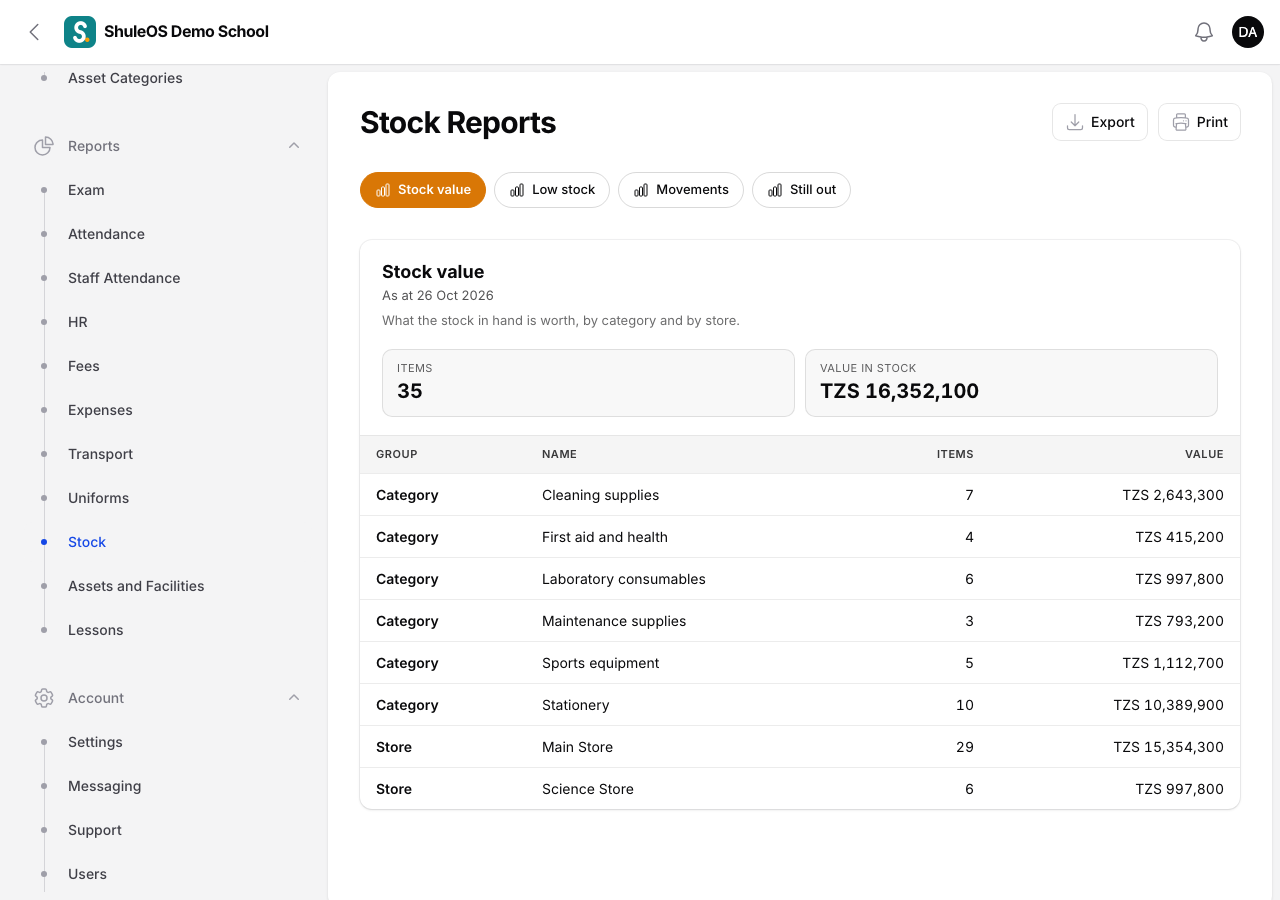
Reports → Stock has one page for the stock reports. Pick a report from the row of buttons at the top. Each one has Export and Print.
| Report | What it tells you |
|---|---|
| Stock value | What the stock in hand is worth, by category and by store, with the number of items and their value. |
| Low stock | Items at or below their reorder level, with Buy at least: how much to buy to get back above the level. Use it as your shopping list. |
| Movements | Everything received, issued, returned and counted in a month, with the change, the stock after it, a note and who did it. Choose the month. |
| Still out | Returnable items that were issued and have not come back: when, to whom, how many, how many are still out and for how many days. |
Tips
- Set a Reorder level on the items you cannot run out of. Then Low stock is a real shopping list.
- Once a year, Count every item, so the report matches the shelves. The differences appear in Movements as "Counted".
- The stock value uses each item's Cost of one, which follows the price of your latest purchase.
If something goes wrong
| What you see | What it means and what to do |
|---|---|
| Low stock is empty | No item has a reorder level, or all items are above it. |
| The value looks too low | Items with a cost of zero add nothing. Set the Cost of one, or receive a purchase with prices. |
| A report is missing | Your role does not include stock reports. |
Related guides
- Stock setup: stores, suppliers, categories and itemsSet up the places stock is kept, the shops you buy from, the groups of items, and the items themselves, with their reorder level and opening quantity.
- Issue stock and take it backHand supplies to staff, a class or a department, mark what must come back, and record returns.