
Maintenance requests
Report a problem with a room, an asset or a vehicle, follow it until it is fixed, and record what it cost.
A maintenance request is a problem that needs fixing: a broken window, a projector that will not switch on, a leaking tap, a school bus that needs a service. Requests move through simple stages, so nothing is forgotten and the cost of repairs is on record.
| Stage | Meaning |
|---|---|
| Open | Reported. Nobody has taken it on yet. |
| In progress | Someone is dealing with it. |
| Done | Fixed. The date and cost are recorded. |
| Cancelled | No longer needed. |
The list
Assets and Facilities → Maintenance.

Each row shows the Title, Priority (Low, Normal, High or Urgent), Status, who is Dealing with it, the Due date (in red when it is overdue), when it was Reported and by whom, and the Cost. Filter by Status and Priority. A number beside Maintenance in the menu counts the requests still open.
Report a problem
Anyone with access can report one. Teachers can also report a problem from their own portal, and the dashboard has a Report a problem shortcut.
-
Click Report a problem.

-
Fill in the window:
| Field | What to enter |
|---|---|
| What is wrong | Required. For example "Broken window" or "Projector will not switch on". |
| Priority | Low, Normal (the default), High or Urgent. |
| Where | The room. |
| Asset | If it is about a particular asset, pick it (so the asset's page shows the problem). |
| Vehicle | If it is about a school vehicle. |
| Description | More detail, if useful. |
- Click Create. The request is Open.
Take it on
When someone starts to deal with it, click Take on on its row.

Enter Who is dealing with it (a person, or a contractor) and Due by, if you have a date. The request becomes In progress.
Mark it done
When it is fixed, click Mark done.
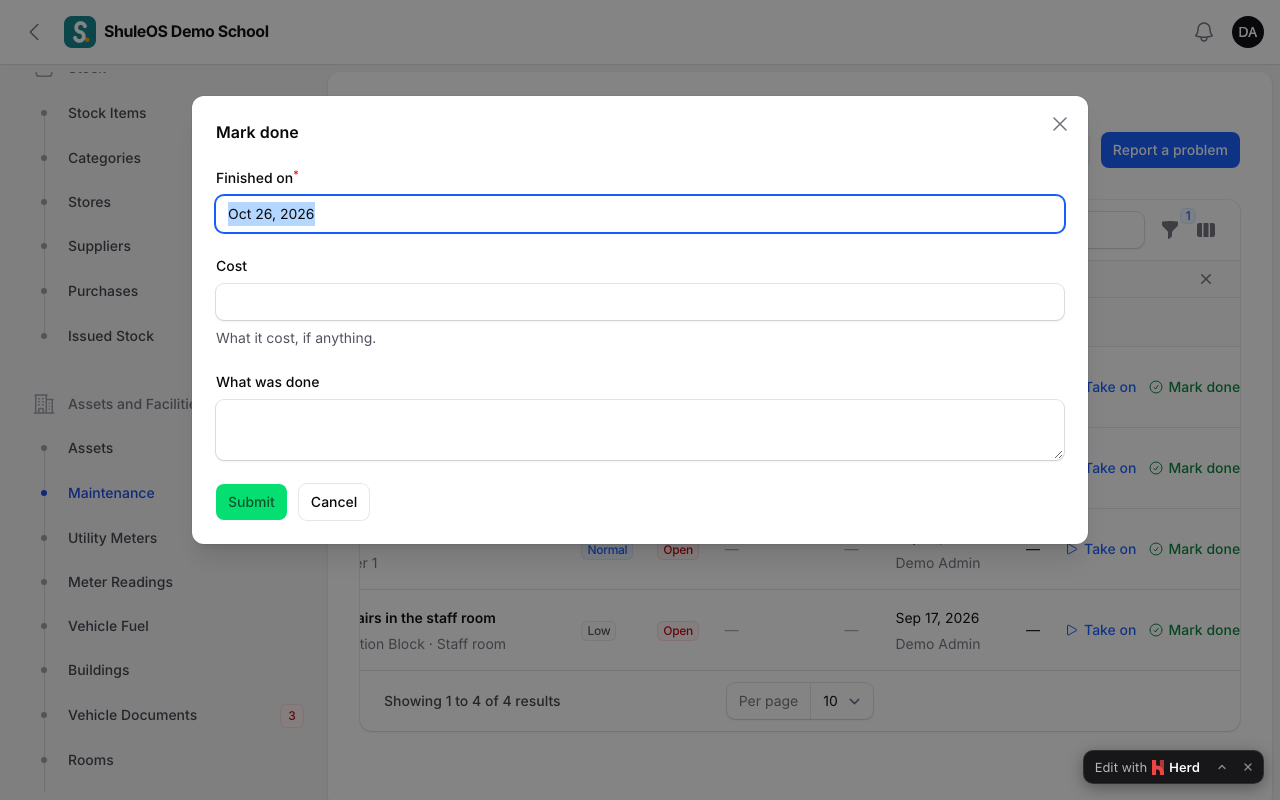
Enter Finished on, the cost if there was one, and What was done. The request becomes Done. The cost feeds the maintenance report.
If a request is no longer needed, use Cancel. A request that is already done or cancelled cannot be changed.
Reports
Costs report (top right) prints the maintenance costs. The full picture, by month, is in Assets and facilities reports.
If something goes wrong
| What you see | What it means and what to do |
|---|---|
| "This request is already done." | A finished or cancelled request cannot be changed. Report a new one. |
| An asset is missing from the form | Retired and lost assets cannot be chosen. |
| Take on or Mark done is missing | The request is not in the right stage, or your role cannot manage maintenance. |
Related guides
- The asset registerList what the school owns with a code, category, room, condition and cost; move assets between rooms and people; and retire or write off what is no longer in use.
- Assets and facilities reportsWhat the school owns and its condition, what repairs cost each month, how much each meter used, and what is about to run out.