
Take class attendance
Mark each student in a class present, absent, late or excused for today, and save. Parents of newly absent students can be told automatically.
Checked on the ShuleOS demo school
Who: School admin, class teachers, and anyone allowed to mark attendance 5 min read
Attendance is taken once a day for each class. Teachers usually do it from their own portal (see the Teacher manual). Office staff can do the same from Attendance → Class Attendance.
Before you start
- The students must be enrolled in the class for the current academic year and have the status Active.
- Attendance is taken for today. It is only due on school days: not at weekends and not on a holiday that closes the school.
Take the register
-
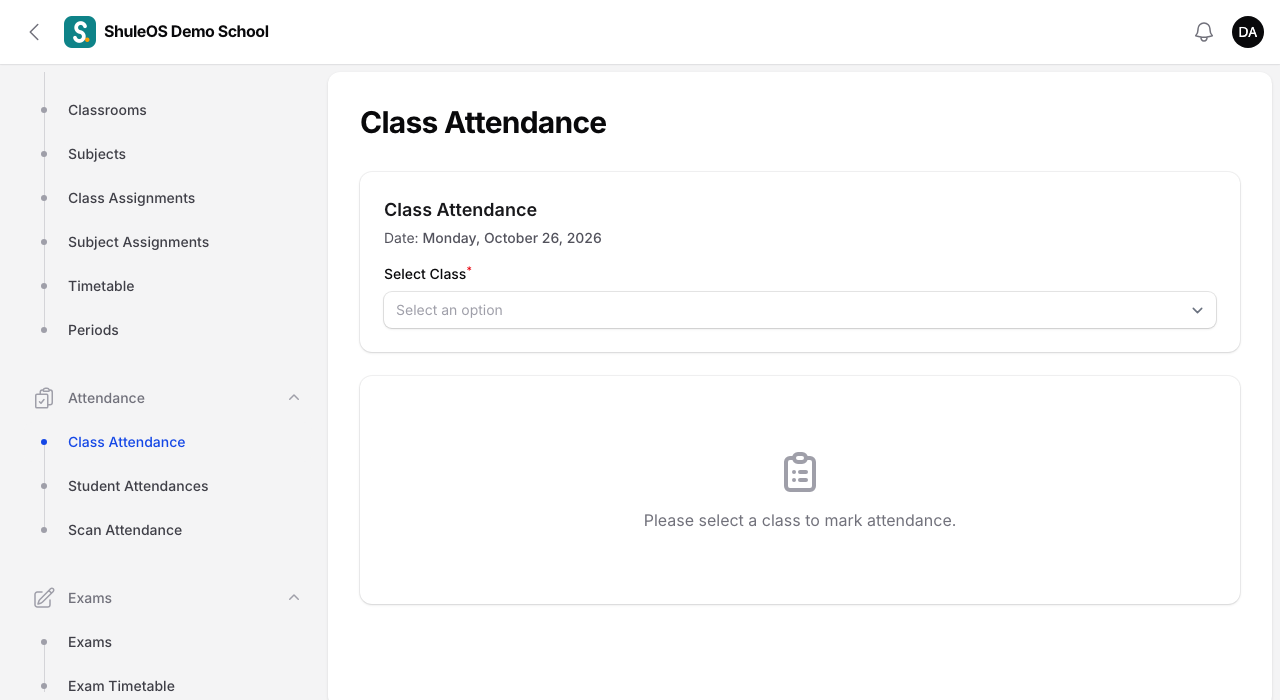
Open Attendance → Class Attendance.
-
Under Select Class choose the class. Today's date is shown at the top.
-
A list of every student in the class appears. Each student starts as Present. For each student choose one of:
| Status | Use it when |
|---|---|
| Present | The student is in class. |
| Absent | The student did not come. |
| Late | The student came late. Late counts as attending. |
| Excused | The student is away with a valid reason. |
- Write a short remark if useful, for example "Sick, mother phoned".
- Click Save Attendance. You see "Attendance saved: 27 new, 0 updated."
If you open the same class again on the same day, the saved statuses are shown, and saving again updates them: "0 new, 27 updated." You can correct a mistake at any time that day.
What happens after you save
- Parents of absent students are told. If your school has switched on the "student absent" notice in Messaging settings, the parents of each newly absent student get a message (bell, SMS or email as your school has set). A student who is saved as absent again is not messaged twice.
- The dashboard attendance card and the attendance trend update at once.
- The student's attendance rate and the reports (see Attendance records and reports) update.
If something goes wrong
| What you see | What it means |
|---|---|
| Please select a class | Choose a class first. |
| The class list is empty | The class has no active students enrolled for this year. |
| A student is missing | They are not enrolled in this class, or their status is not Active. |
| "No school today" on the dashboard | It is a weekend or a closing holiday. You can still record attendance if you need to. |
| You cannot open Class Attendance | Your role does not include marking attendance. |
Related guides
- Attendance records and reportsLook up, correct and import individual attendance records, and read the attendance report by day, by student, as a class register, and by weekday.
- Class teachers and subject teachersChoose the class teacher of each class and stream, and the teacher of each subject in each class, for the current academic year.