
Curriculum: units and chapters
Record what each subject teaches in each class as units and chapters, import it from a file, or copy it from another class, so teachers can plan lessons against it.
The curriculum is the syllabus written down: for each subject in each class, a list of units (big topics, such as Fractions), and under each unit its chapters. Teachers then pick a chapter when they plan a lesson, and the lesson report shows how far each subject has got.
Before you start
- The class must have its subjects attached (see Classes and streams).
- Have the syllabus ready, ideally in Excel, if you will import it.
Find a class's curriculum
-
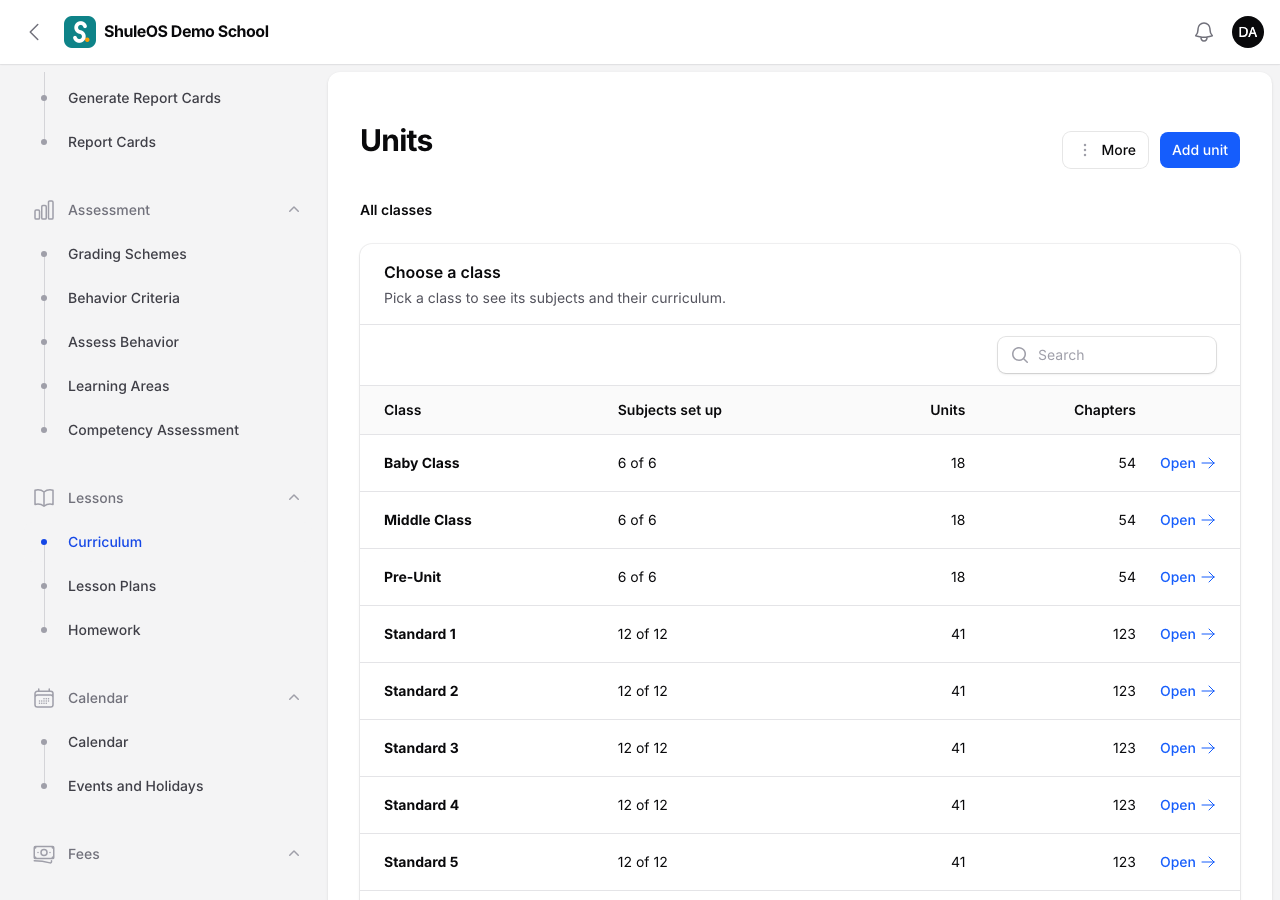
Open Lessons → Curriculum. You see every class with how many subjects have a curriculum ("12 of 12"), and the number of units and chapters.
-
Click Open beside a class, then Open beside a subject. You now see that subject's units in that class, and can add or change them.
Add a unit and its chapters
-
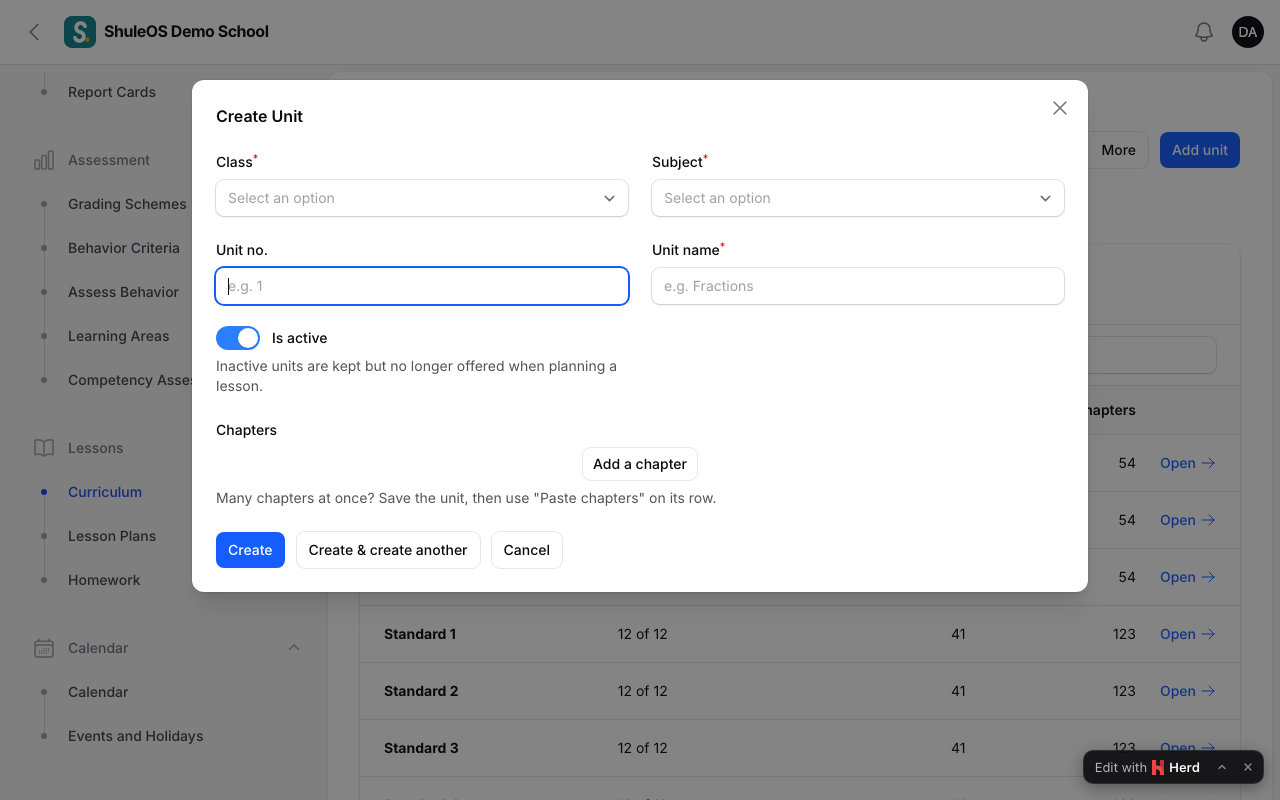
On the subject's page click Add unit.
-
Fill in the form:
| Field | What to enter |
|---|---|
| Class, Subject | Filled in for you. |
| Unit no. | Optional, for example 1. |
| Unit name | Required, for example Fractions. |
| Active | On by default. Inactive units are kept but no longer offered when planning a lesson. |
| Chapters | Add each chapter: its Chapter name (required), the number of Periods it needs, and optional Suggested activities. |
- Click Create. To add many chapters at once, save the unit and use Paste chapters on its row.
Change or remove units and chapters from the rows in the list.
Import the curriculum from a file
- Click More → Download CSV to get the file with your class and subject.
- Fill in the Unit and Chapter columns (Excel can open and save it as CSV).
- Click More → Import CSV and upload it.
- Read the check: it shows what would be added or updated. Confirm with Add this to the curriculum?. You see "Curriculum updated: 4 unit(s) and 18 chapter(s) added".
Existing units and chapters are updated, never removed.
Copy a curriculum to another class
If Standard 4 and Standard 5 (or two streams) follow the same syllabus, copy it:
- Click More → Copy from another class.
- Choose Copy from and Copy to, and optionally Only this subject.
- Confirm. You see "Copied 12 unit(s) and 40 chapter(s) to Standard 5".
It copies for every subject the target class has no curriculum for yet. What the target class already has is left alone.
If something goes wrong
| What you see | What it means |
|---|---|
| Nothing to import | The file has no Unit or Chapter rows filled in. |
| This check has expired | You waited too long. Import the file again. |
| Nothing was copied | The target class already has a curriculum for those subjects. |
| A subject is missing | It is not attached to the class. |
Related guides
- Lesson plans, homework and the lesson reportRead what teachers plan and set, review their lesson plans, and see how far each subject and teacher has got.
- Classes and streamsCreate the school's classes, choose how each is assessed, add streams (sections), and choose the subjects each class takes.
- SubjectsCreate the subjects your school teaches, give each a code, and switch old ones off without losing their history.